spotuify
install on macOS or linux
Paste this first.
Homebrew installs from the planetaryescape/spotuify tap. The older planetaryescape/tap repo does not publish this formula.
brew tap planetaryescape/spotuifybrew install spotuifyspotuifyLinux x86_64 release archives use the checksum-verifying installer:
curl -fsSLO https://raw.githubusercontent.com/planetaryescape/spotuify/main/install.shbash install.shspotuify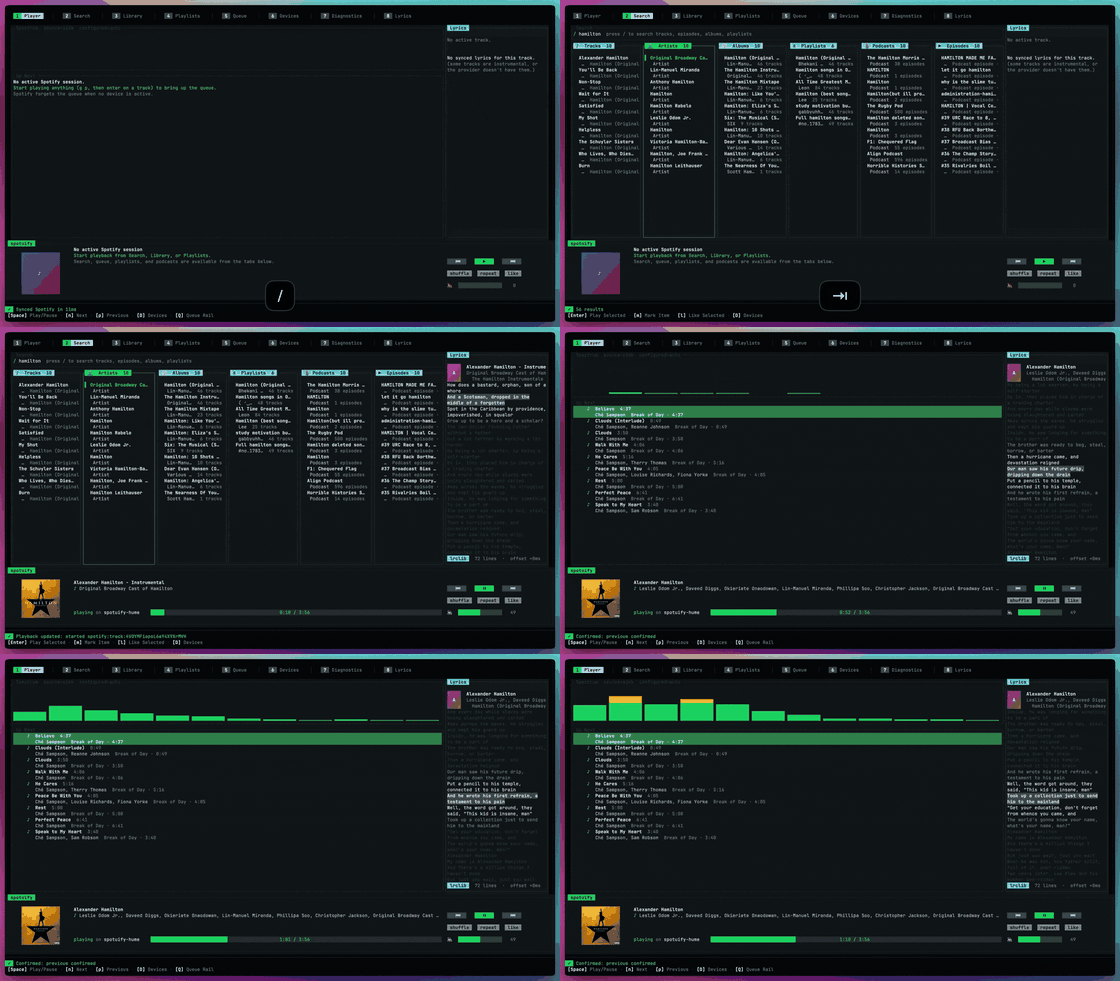
terminal music runtime
$ spotuify play "imagine dragons"
playing: Imagine Dragons - Radioactive
$ spotuify search "never too much" --type track --format ids
spotify:track:4uLU6hMCjMI75M1A2tKUQC
$ spotuify next --format json
{"ok":true,"action":"next","message":"Skipped"}
spotuify exists for the tiny moment that keeps happening: you are in Neovim, your hands are already in a terminal, and you want music without opening another app. Run spotuify, search, play, close the terminal. Or skip the TUI:
spotuify play "inspirational coding music" --type playlistWhy it exists
Section titled “Why it exists”CLI first
Every serious action has a command. The TUI is one client, not the system.
spotuify status --format jsonspotuify nextspotuify queue add --search "burial archangel"Daemon backed
The daemon owns Spotify, cache, search, playback state, and events. Music keeps playing after the TUI exits.
spotuify daemon statusspotuify daemon startspotuify reconnectAgent safe
Agents use normal commands. Broad playlist changes preview first, then commit only when you approve.
spotuify playlist create "Exile" --from candidates.jsonl --dry-runspotuify playlist create "Exile" --from candidates.jsonl --yesFast paths
Section titled “Fast paths”Start the TUI:
spotuifyPlay the first search result:
spotuify play "the national sorrow"Search, pick with fzf, and play:
spotuify search "luther vandross" --type track --format ids \ | fzf \ | xargs spotuify play-uriAsk an agent for a playlist without giving it blind write access:
spotuify playlist plan "exile and returning home" --format json > plan.jsonspotuify resolve-tracks --from plan.json --format jsonl > candidates.jsonlspotuify playlist create "Exile and Return" --from candidates.jsonl --dry-runWhy not just another TUI
Section titled “Why not just another TUI”spotify-player, ncspot, and the original spotify-tui proved a terminal Spotify client is worth living in, and spotuify builds on what they shipped: embedded librespot, a keyboard TUI, local search. The difference is the bet on the CLI as the product. Every read, list, status, and search surface speaks --format json, jsonl, csv, or ids, not just one command, so scripts and agents drive Spotify the same way you do. The TUI is a client on the same daemon, not the system.
spotuify search "ambient" --source local --format jsonlspotuify cache status --format jsonspotuify analytics top --kind artists --since 30d